

Split bills and expenses, keep the friendship.
Trips, flats, dinners: see who owes whom at a glance.
If a friend sent you a link, you can join from your browser.
On Android? Use it in your browser now → Try the demo: split a sample receipt →Run a Secret Santa draw — free, no account needed →- Everything free · on the App Store
- No ads



Who owes whom?
Three steps, then forget about it.

Start a group

Add the expense

Settle up
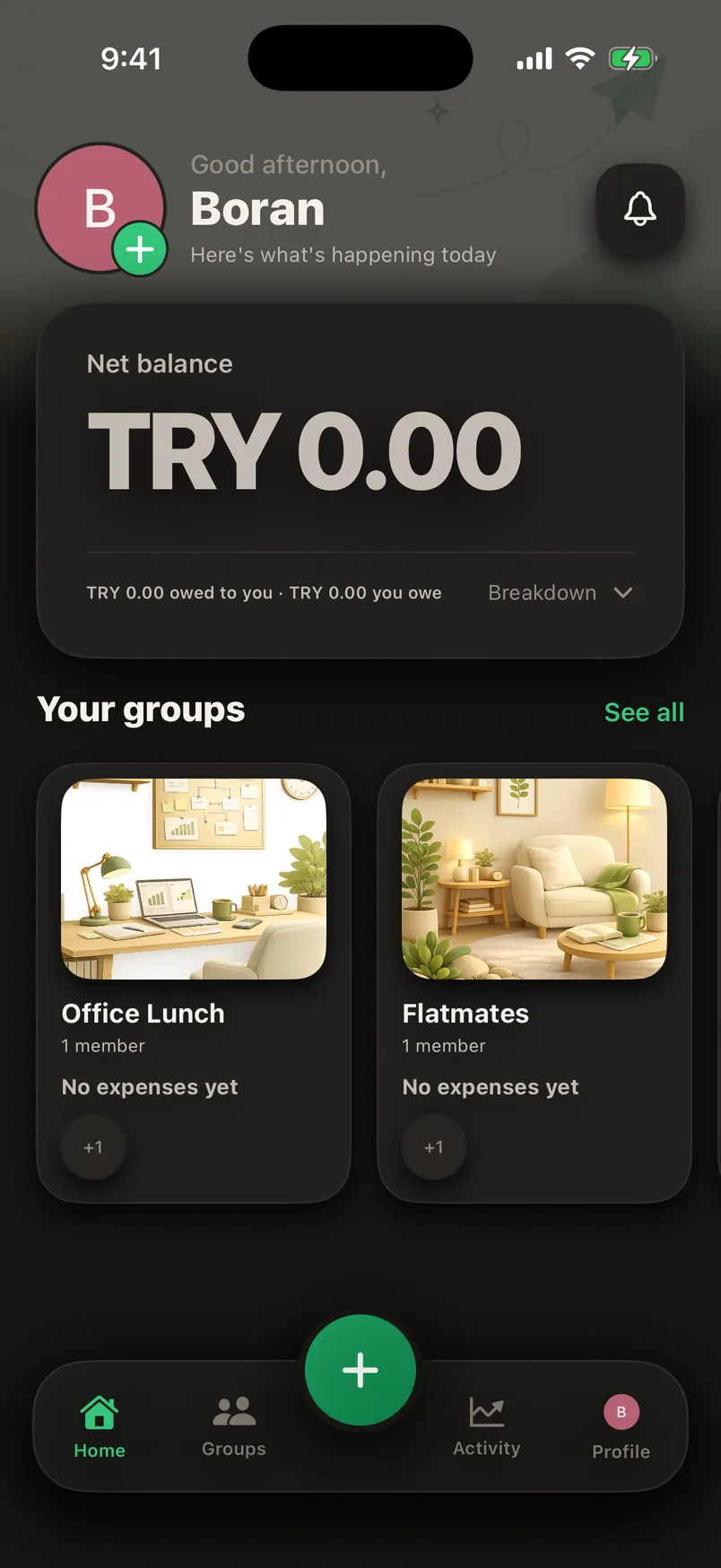
The app itself.
These screens are not mockups — this is the app as it is today.


Everything is free.
The Android waitlist
No need to wait: Splendo works in your browser today. Start in your browser
There's no Android version yet. Leave your email and you'll get a single message the day it ships — we send nothing else.
What people ask
Does Splendo cost anything?
No. Everything is free right now: receipt scanning, line-by-line splitting, offline use, ten languages, unlimited groups and expenses. No locked features.
What happens without internet?
The app keeps working. On a plane, abroad without data or in a hotel with dead wifi you keep entering expenses; the records wait on the device and sync themselves when you're back online.
Do my friends have to install the app?
No. You can add someone to a group by name alone; their share and debt work like any member's. If they join later through their own link, their share, debt and history carry on in their account.
Which languages does Splendo support?
Ten: Turkish, English, Spanish, Portuguese (Brazil), German, French, Italian, Indonesian, Hindi and Japanese. Currency, dates and number formats are localised in every one.
I use Splitwise or Tricount — can I switch?
Yes. Set the group up in Splendo and enter the open balances as a single expense; Splendo tracks it from there. There's no expense limit, no subscription and no ads here.
Can I delete my data?
Settings › Advanced › Delete account. Your name, email and photo disappear everywhere; so that other people's balances still add up, expense records remain under the name “Deleted account”.
How do you split a bill with friends?
The hard part of splitting shared costs fairly isn't the arithmetic, it's the record-keeping. By day two of the trip nobody remembers who paid for what, and after it nobody wants to sit down with a spreadsheet. The method that works follows three rules.
One: enter the expense the moment it's paid. An expense left for later never gets entered. Splendo can do this offline, so on a plane, abroad or somewhere without wifi the record never breaks — it syncs itself when a connection returns.
Two: don't assume an equal split. If one person drank the wine, equal is unfair. Photographing the receipt and assigning the lines to people is both faster and less contentious than percentages and shares.
Three: settle once, at the end. A group of six doesn't need fifteen small transfers; settling up cuts the number of payments down as far as it can. Money never moves through the app — everyone pays from their own bank, and the record stays in Splendo.
How do you split a restaurant bill?
Photograph the receipt; the amount and merchant are read, then assign each line to whoever ordered it. You don't have to split equally.
Can a group expense be entered offline?
Yes. The record waits on the device and syncs when a connection returns.
Does a friend without the app count?
Yes. They're added by name; if they join later through their own link, their share and history carry on in their account.
How few transfers does settling take?
Settling up cuts the payments down as far as it can — in a group of six, usually two or three.
Anywhere a bill gets shared
Holidays and trips
Rent and bills with flatmates
Couples and family
Team dinners and events
The rest is where you'd expect.
Fair, not equal
Percentage, shares, exact amounts, or per person. Whoever skipped the wine doesn't pay for it.
Settling up
Six people, fourteen expenses, three transfers. What everyone pays, in one line each.
Multiple currencies
Enter an expense in any currency; it converts to the group's currency automatically (48 currencies). The rate is locked when you enter it, and the group total doesn't shift afterwards.
Nobody gets nagged
Splendo never asks anybody to pay on its own. A reminder goes out only when the person who's owed sends one, and never more than once a week. Or the app writes the message and you send it.
Receipt archive
Every expense keeps its receipt beside it; unlimited, free.
Ten languages that don't smell of translation
Every language in the app was reviewed one by one: currency, dates and number formats follow each country. If the table speaks more than one language, everyone reads their own. You can read this page in the languages below, too.
Why you can trust it now
Feedback goes straight to the developer
No middle layer, no support bot. What you write is read by the person who writes the app.
Weekly releases
Requests and bug reports land in releases within the week; everything in the screenshots works today.
No payments, no locks
Nothing is charged, and there is no plan to lock features behind a price later.